
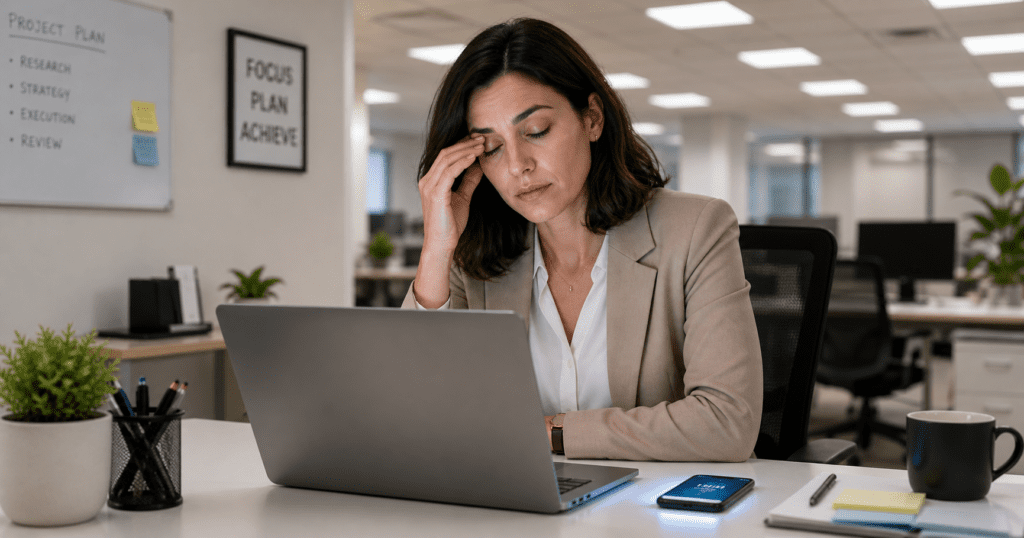
You are halfway through a normal workday. Your laptop is open, your phone keeps lighting up, the overhead lights feel too bright, and your eyes start to feel dry, heavy, and tired.
Quick Answer: Eye strain relief usually starts by reducing four common triggers: long close-up focus, dry blinking, harsh lighting, and poor screen distance. The fastest reset is to look 20 feet away for 20 seconds, blink slowly, soften glare, move screens about an arm’s length away, and keep dry air from blowing toward your face.
The strain keeps building because eye strain rarely comes from one thing. It often builds from small visual loads that stack up all day. Your eyes focus up close during emails, texts, reading, driving, and scrolling. Your blink rate may drop. Your screen may be too bright for the room. The air may be dry. Your neck and shoulders may tense without you noticing.
That is why the best eye strain relief is not one random trick. It is a simple reset system that lowers the load on your eyes from several directions at once.
This guide is the broad eye strain relief page. If your symptoms happen mainly from screens, use the screen-focused guides linked below for more specific causes and fixes.
Eye strain relief means reducing the visual load that makes your eyes feel tired, dry, sore, heavy, or strained. The most helpful steps usually include the 20-20-20 rule, blinking more often, reducing glare, adjusting screen distance, improving lighting, and limiting dry air around your face.
Table of Contents
How Eye Strain Relief Works When Your Eyes Feel Overloaded
Eye strain relief works by giving your visual system less to fight against. Your eyes are not just “looking.” They are constantly focusing, moving, blinking, adjusting to light, and sending visual information to your brain.
When you stare at something close for a long time, the focusing system has to keep working. This can happen with a laptop, phone, book, spreadsheet, sewing project, video game, or long drive. The more fixed the task is, the less your eyes get to shift distance and relax.
At the same time, many people blink less when they concentrate. That matters because blinking spreads tears across the eye surface. When blinking slows down, your eyes may start to feel dry, gritty, sore, or heavy.
Lighting adds another layer. If the room is too bright, too dim, or full of glare, your eyes may squint or work harder to find contrast. Small text can make this worse. So can a screen that sits too close, too high, too low, or off to the side.
A good relief plan lowers these loads in the right order: focus, blinking, light, distance, and dryness. That is why a full reset often works better than just closing your eyes for a few seconds and going right back to the same setup.
The CDC recommends giving your eyes a rest with the 20-20-20 rule during long periods of computer use or focused visual work, which fits the same idea: your eyes need regular distance changes, not endless close-up focus.
What Happens When Your Eyes Focus Up Close for Too Long
Close-up focus is one of the biggest reasons your eyes start to feel strained. Your eyes have to adjust so words, images, and objects stay clear at a short distance. That effort is usually normal, but it can feel tiring when it continues for hours without breaks.
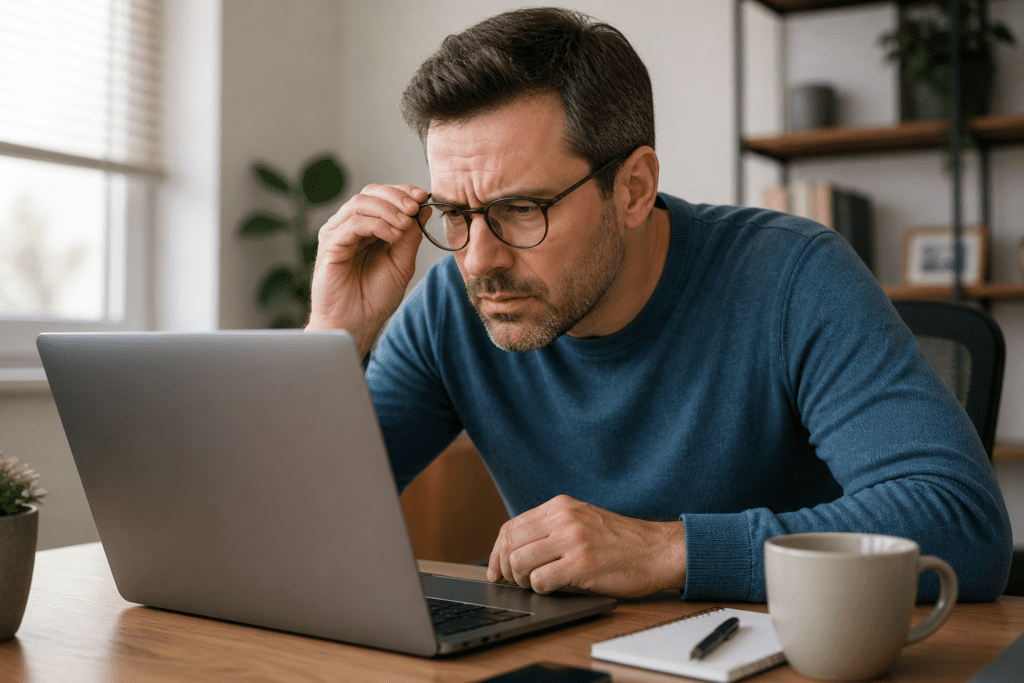
Think about a regular American workday. You check your phone before breakfast, drive while watching traffic signs, open a laptop at work, read messages during lunch, scroll again in the afternoon, then watch TV at night. Even if none of those tasks feels intense by itself, the total focus time can add up.
Your eye muscles are small, but they are still part of a working system. They help your eyes move, align, and change focus. When you keep asking them to stay locked on nearby details, they do not get many distance changes. That can lead to soreness, pressure, blurred vision, or a tired feeling around the eyes.
This is where the 20-20-20 rule helps. Every 20 minutes, look at something about 20 feet away for at least 20 seconds. The point is not magic math. The point is distance change. Looking far away gives your focusing system a brief reset.
For many people, this one habit is the easiest starting point. It does not require equipment, supplements, or a complicated routine. It simply breaks the long-focus pattern before the strain gets stronger.
What is the fastest way to relieve eye strain?
The fastest way to relieve eye strain is to stop close-up focus for a short reset. Look at something about 20 feet away for 20 seconds, blink slowly several times, reduce glare, soften screen brightness, and sit back so your eyes are not locked into one close distance.
The Hidden Reason Dry Blinking Makes Eye Strain Feel Worse
What most people miss is that eye strain is not only about tired eye muscles. It is also about the surface of the eyes. When your eyes feel dry, scratchy, watery, or irritated, the discomfort can make strain feel much worse.
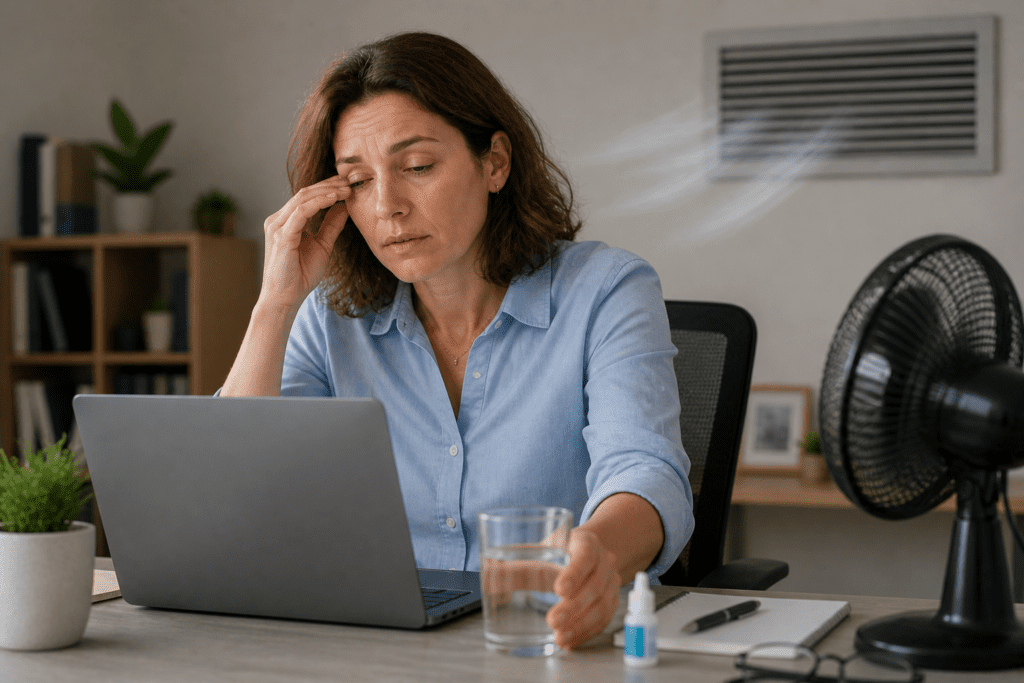
If heaviness is your main symptom, this guide explains why your eyes feel heavy and how that signal can connect to visual fatigue.
Blinking is supposed to refresh the surface of your eyes. But when you read, work on a screen, play games, or focus on your phone, you may blink less often or not blink fully. That can leave the eye surface feeling less comfortable.
Dry indoor air can add to the problem. Air conditioning, heat vents, fans, and low humidity may make your eyes feel dry faster. If a vent blows toward your face while you work, your eyes may feel strained even if your screen setup seems fine.
This is why eye fatigue relief often needs more than a screen break. You may also need to restore moisture and reduce airflow. A simple first step is to blink slowly 10 times. Close your eyes fully, pause for a moment, then open them. Do not squeeze hard. Just let the blink be complete.
Some people also use over-the-counter artificial tears when dryness is part of the problem. The key is to choose options carefully and follow the label or an eye care provider’s advice. Eye drops that only remove redness are not the same as moisture support.
Dry blinking creates a cycle. Your eyes feel uncomfortable, so you squint or rub them. Squinting adds more tension. Rubbing can irritate the area. Then the eyes feel even more tired. Breaking that cycle early is one of the fastest ways to relieve strained eyes during the day.
Can dry eyes feel like eye strain?
Yes, dry eyes can feel like eye strain because dryness can create a gritty, burning, heavy, or irritated feeling. When blinking slows down during screens, reading, or detailed work, the eye surface may feel less comfortable, which can make visual fatigue feel stronger.
What Most People Miss When Trying Eye Fatigue Relief
Many people try eye strain relief in the wrong order. They wait until their eyes feel awful, then they close them for a minute, rub them, or lower the brightness. Those steps may help a little, but they do not fix the full pattern.
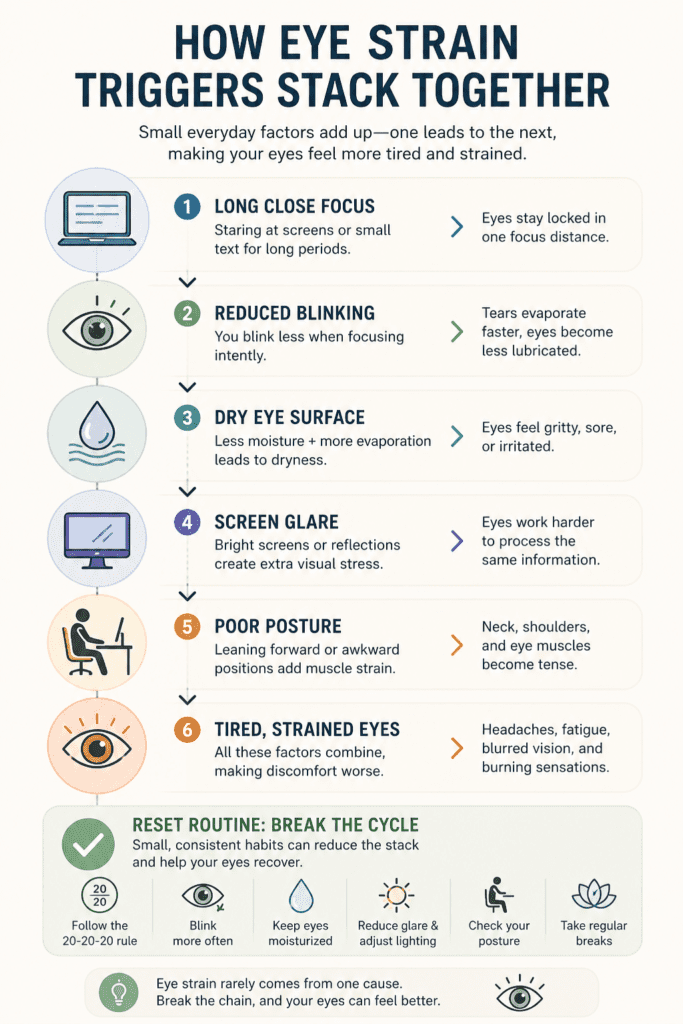
The bigger issue is usually load stacking. A bright screen plus small text plus dry air plus poor posture plus nonstop focus can overwhelm your eyes faster than any one trigger alone.
For example, you may blame your laptop, but the laptop may not be the only problem. Your room may be too dark while the screen is bright. Your chair may make you lean forward. Your text may be too small. Your phone may sit inches from your face. A ceiling fan may blow across your eyes. Your eyes may be tired from poor sleep before the day even starts.
That is the counterintuitive insight: eye strain relief often works better when you make several small changes instead of searching for one perfect fix.
Eye strain often keeps coming back because several small triggers stack together:
- Long close-up focus without distance breaks
- Reduced blinking during screens, reading, or detailed work
- Dry indoor air from fans, vents, heating, or air conditioning
- Harsh lighting, glare, or poor screen contrast
- Small text that makes your eyes work harder
- Poor screen distance that pulls your face too close
- Neck and shoulder tension from leaning toward the screen
Here is a simple way to see the pattern:
| Eye Strain Trigger | What It Does | Relief Step |
|---|---|---|
| Long close focus | Keeps the focusing system active | Use the 20-20-20 rule |
| Reduced blinking | Makes eyes feel dry or gritty | Blink slowly several times |
| Bright screen | Adds visual stress | Match brightness to the room |
| Screen glare | Forces squinting | Move the screen or block reflection |
| Small text | Makes focusing harder | Increase font size |
| Dry indoor air | Speeds up dryness | Redirect fans or vents |
| Poor distance | Increases visual effort | Keep screens about arm’s length away |
This table matters because it shows why one fix may not be enough. If you use the 20-20-20 rule but keep a bright screen in a dark room, glare may still bother you. If you adjust brightness but forget to blink, dryness may continue. If you use artificial tears but keep a fan blowing at your face, the relief may not last.
The strongest routine works because it lowers several small triggers before they stack into a bigger problem.
Working at a screen all day?
If your eye strain mostly happens during laptop or monitor work, your screen setup may be adding extra visual load. A few small changes to distance, brightness, glare, and desk position can make the rest of this routine easier to use.
How to Relieve Strained Eyes With a Simple Reset Routine
The best eye strain relief routine should be simple enough to use while you are busy. You should not need a perfect office, a full break, or a long wellness ritual. You need a repeatable reset.
This routine is meant for everyday strain from screens, reading, lighting, or dry air. It is not a replacement for professional care if symptoms are severe, sudden, or unusual.
Use this reset when your eyes start to feel tired, dry, heavy, or strained:
- Look at something about 20 feet away for 20 seconds.
- Blink slowly several times to refresh the eye surface.
- Reduce harsh screen brightness or glare.
- Move screens about an arm’s length away.
- Increase text size if you are squinting.
- Soften room lighting so your eyes are not fighting contrast.
- Redirect fans, vents, or dry air away from your face.
- Use artificial tears if dryness is part of the problem.
- Contact an eye care provider if symptoms are severe, sudden, or persistent.

First, look far away. Choose something across the room, out a window, or down a hallway. Hold that distance for about 20 seconds. Let your eyes land softly instead of forcing a hard stare.
Second, blink slowly. Close your eyes fully and open them gently. Repeat this several times. This helps refresh the eye surface and reminds you not to stay in a half-blink pattern.
Third, soften the light. If your screen feels brighter than the room, lower it. If the room is dark, add soft side lighting. If glare is coming from a window, change your angle or close the blinds.
Fourth, check distance. Your main screen should usually be about an arm’s length away. Your phone should not be held inches from your face for long periods. Your reading material should be close enough to see clearly but not so close that you feel pulled forward.
Fifth, reduce dryness. Move away from fans, vents, or direct airflow. If dry eyes are part of your pattern, moisture support may help. You can also close your eyes for a brief rest when it is safe to do so.
This reset takes less than two minutes. The goal is not to remove every trigger forever. The goal is to stop the strain from building without interruption.
How can I relieve strained eyes after screen time?
To relieve strained eyes after screen time, look away from the screen, blink slowly, reduce glare, match screen brightness to the room, and move the screen about an arm’s length away. If your eyes feel dry, reduce direct airflow from fans or vents and consider artificial tears if appropriate.
For fast relief, use the same steps in a shorter version: look far, blink slowly, dim glare, sit back, and redirect dry air. That gives your eyes a break before discomfort turns into a headache or a full end-of-day crash.
The Link Between Lighting, Screen Glare, and Eye Stress
Lighting can quietly decide whether your eyes feel calm or overloaded. The problem is not always “too much light” or “not enough light.” The problem is mismatch.
A bright screen in a dark room can feel harsh. A dim screen in a bright room can make you squint. A window behind your monitor can create reflection. A lamp pointed toward your face can add glare. Overhead lights can bounce off glossy screens.

Your eyes like contrast, but they do not like fighting glare all day. When the lighting around you is uneven, your eyes may keep adjusting. That can lead to eye stress, blurry moments, and tiredness around the forehead or temples.
To relieve eye stress from lighting, start with balance. Match your screen brightness to the room. Avoid working in total darkness with a bright screen. Use soft lighting near your workspace, but do not aim a lamp directly at your eyes or screen.
If you work near a window, sit so the window is beside you rather than directly in front of or behind the screen. If glare still hits the display, change the angle or use blinds. Clean your screen too. Smudges reduce contrast, and reduced contrast can make your eyes work harder.
Phone lighting matters as well. Many people turn phone brightness up during the day and forget to lower it at night. A bright phone in a dark bedroom can feel sharp and uncomfortable. If you read on your phone, increase the text size and reduce brightness before your eyes start to ache.
How Screen Distance and Posture Change Eye Strain Relief
Screen distance is not just an office-ergonomics detail. It affects how hard your eyes focus. When a screen is too close, your eyes have to work harder to keep the image clear. When it is too far, you may squint or lean forward.
If most of your symptoms happen during long workdays at a laptop or monitor, this guide to digital eye fatigue explains the screen-specific setup changes that matter most.
For a desktop monitor, a helpful target is about an arm’s length away. The top of the screen should usually sit at or slightly below eye level. This lets your eyes look slightly downward, which can feel more relaxed for many people.
Laptops are harder because the screen and keyboard are attached. If the laptop is low, you may bend your neck. If it is close, your eyes may stay locked in intense focus. A laptop stand, separate keyboard, or raised surface can help create a better viewing angle if you work for long periods.
Posture matters because eye strain often travels with neck and shoulder tension. When you lean toward a screen, your shoulders may rise, your jaw may tighten, and your forehead may tense. That can make eye discomfort feel like a full head-pressure problem.
When posture is part of the problem, a short posture reset for desk workers can reduce the tension that often builds around the neck, shoulders, and eyes.
A simple posture reset can help: sit back, drop your shoulders, relax your jaw, and bring the screen to you instead of bringing your face to the screen. Then increase text size if you catch yourself leaning in.
This does not mean posture causes every case of eye strain. It means poor posture can add another load. If you reduce that load, other relief steps may work better.
What Happens When Phone Scrolling and Reading Keep Straining Your Eyes
A strong eye strain relief article cannot focus only on computers. Many people strain their eyes away from a desktop. Phones, books, tablets, recipes, bills, crafts, and long reading sessions can create the same close-focus pressure.
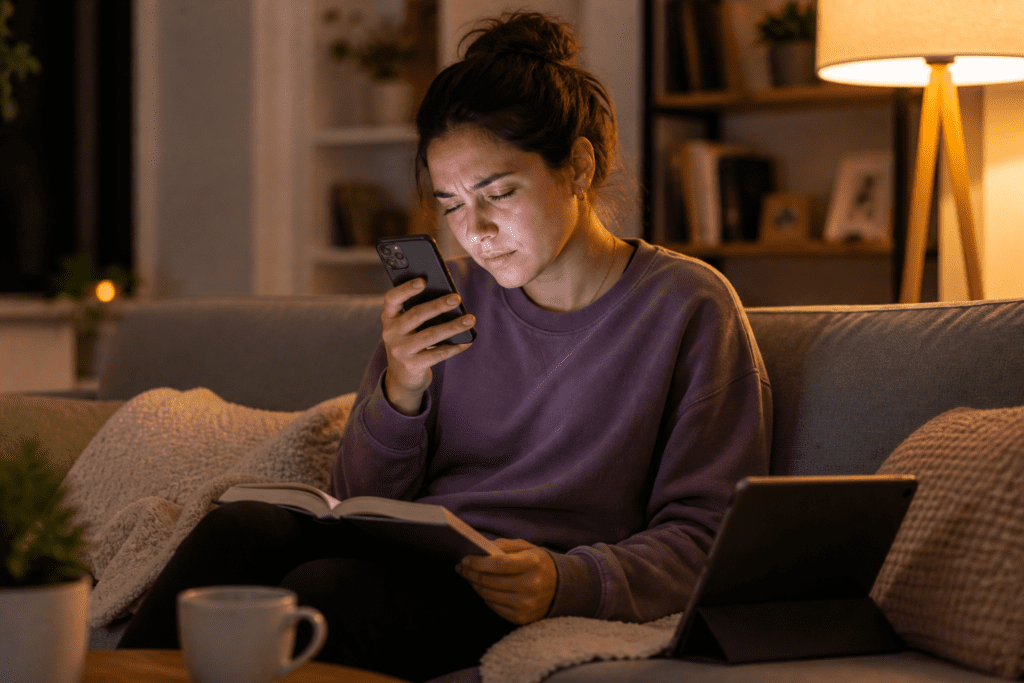
To understand why screens can make your eyes feel tired in the first place, read this breakdown of why eyes feel tired after looking at screens.
Phone scrolling can be especially tiring because the screen is small, the text is often tiny, and the device is usually close to the face. Scrolling also encourages long attention loops. You may tell yourself you are taking a break from work, but your eyes are still focusing up close.
If phone and screen use leave you mentally tired too, this article on feeling tired after thinking too much explains how mental load can add to the drained feeling.
Reading can also strain your eyes when the lighting is poor or the text is small. If you read in bed with dim light, your eyes may work harder. If you study for hours without distance breaks, you may feel eye fatigue even without a screen.
Driving is another common trigger. Long drives require steady visual attention, distance changes, glare control, and focus. Sun glare, night driving, dry air from vents, and long highway concentration can all make your eyes feel tired.
A review available through the National Institutes of Health describes digital eye strain as a cluster of eye and vision-related problems linked with prolonged digital device use, but everyday strain can also come from reading, driving, lighting, and other close-focus tasks.
The solution is to treat all close-up and high-focus tasks as part of the same visual budget. If your eyes spent eight hours on a computer, then two more hours of phone scrolling is not true rest. It is more close-focus work.
Better recovery may look simple: look outside, take a walk, listen to audio instead of reading, increase font size, use better lighting, or set the phone down during meals. The goal is to give your eyes a different job, not just a different screen.
Can eye strain make your eyes feel heavy and tired?
Yes, eye strain can make your eyes feel heavy and tired, especially when long close-up focus, reduced blinking, dry indoor air, glare, and poor lighting stack together. The heaviness often feels worse late in the day because visual load builds gradually.
The Real Cause of Eye Strain That Keeps Coming Back
When eye strain keeps coming back, the real cause is often an unchanged daily pattern. You may get short-term relief, but the same triggers return the next day.
The cause-effect chain often looks like this:
Close-up work builds focus load. Focus load lowers blink quality. Lower blinking increases dryness. Dryness makes the eyes feel irritated or heavy. Glare and poor lighting add squinting. Poor posture adds head and neck tension. By late afternoon, your eyes feel drained.
This is why some people feel okay in the morning and worse by 3 or 4 PM. It is not always because the eyes suddenly became weak. It may be because the load has been building all day.
If your eye strain gets worse during the afternoon, it may also overlap with your broader afternoon energy dip, especially when screens, posture, and low movement stack together.
The pattern can also feel worse when you are tired, stressed, dehydrated, or sleeping poorly. Stress can make you clench your jaw or stare harder. Poor sleep can make your eyes feel heavy earlier. Dry indoor air can make screen work feel more irritating. None of these triggers needs to be dramatic. Together, they can make relief harder.
If this sounds like your day, build prevention into the routine instead of waiting for symptoms. Take short distance breaks before your eyes hurt. Adjust lighting before glare bothers you. Increase text size before you squint. Move air away from your face before dryness builds.
Eye strain relief becomes easier when it is proactive.
Does the 20-20-20 rule really help eye strain?
The 20-20-20 rule can help because it gives your focusing system a short distance break. Every 20 minutes, look at something about 20 feet away for 20 seconds. It is simple, free, and easy to repeat during screen work, reading, studying, or other close-focus tasks.
How to Know When Eye Strain Needs More Than Home Relief
Most everyday eye strain improves when the trigger is reduced, but some symptoms should not be ignored. Home relief is not the right plan for sudden, severe, or unusual eye symptoms.
Mayo Clinic notes that eyestrain treatment often involves changing daily habits or the environment, while some people may need care for an underlying eye condition.
You should consider contacting an eye care provider if eye strain keeps coming back, does not improve with basic changes, or interferes with normal daily tasks. It is also important to get help if you notice sudden vision changes, strong eye pain, worsening headaches with blurred vision, new light sensitivity, or symptoms that feel different from your usual pattern.
A current prescription also matters. If your glasses or contacts are outdated, your eyes may work harder than they need to. Even a small prescription issue can make reading, driving, or screen work feel more tiring.
This section is not meant to scare you. It is meant to separate normal daily strain from symptoms that deserve a closer look. If your eyes feel tired after a long screen day and improve with breaks, lighting changes, and moisture support, that is one pattern. If symptoms are severe, sudden, or persistent, that is a different pattern.
The safest approach is simple: use daily relief steps for normal strain, but do not try to push through symptoms that feel intense or unusual.
When should I see a doctor for eye strain?
Contact an eye care provider if eye strain is severe, sudden, persistent, or comes with vision changes, strong eye pain, worsening headaches, or unusual light sensitivity. Those symptoms need more than basic home relief or screen breaks.
Editorial note: This article is for general eye comfort and daily habit support. It does not diagnose eye conditions or replace care from an eye care provider. If eye symptoms are severe, sudden, persistent, or linked with vision changes, professional guidance is the safest next step.

How Daily Eye Strain Relief Becomes Easier to Maintain
The best routine is the one you will actually repeat. You do not need a perfect setup. You need a few small habits that protect your eyes before they feel overloaded.
Start with three simple anchors.
Use distance breaks during long focus work. Keep your main screen about an arm’s length away. Control glare and dry air in the places where you spend the most time.
Then add small upgrades. Increase font size. Clean screens. Lower brightness at night. Blink slowly during screen work. Read with a lamp that lights the page without shining into your eyes. Take short breaks from phone scrolling when your eyes already feel tired.
For a broader daily routine, these daily habits for energy can support better focus, breaks, hydration, and screen balance across the day.
Relief from eye strain is not about avoiding screens forever. That is not realistic for most Americans. It is about lowering the visual load enough that your eyes can keep up with your day.
The key is to respond early. Heavy, tired, dry, or strained eyes are signals. They are often telling you that focus, blinking, lighting, distance, or airflow needs a reset. When you fix those signals early, your eyes are less likely to feel wrecked by the end of the day.
If your eyes feel strained today, start small: look far away, blink slowly, soften the light, sit back, and reduce dry airflow. Those steps may not solve every cause, but they give your eyes the reset they were asking for.
Want fewer tired-eye days?
Eye strain often gets worse when long screen time, low movement, poor breaks, and low energy stack together. A simple daily routine can help you build better reset points into your day.
