
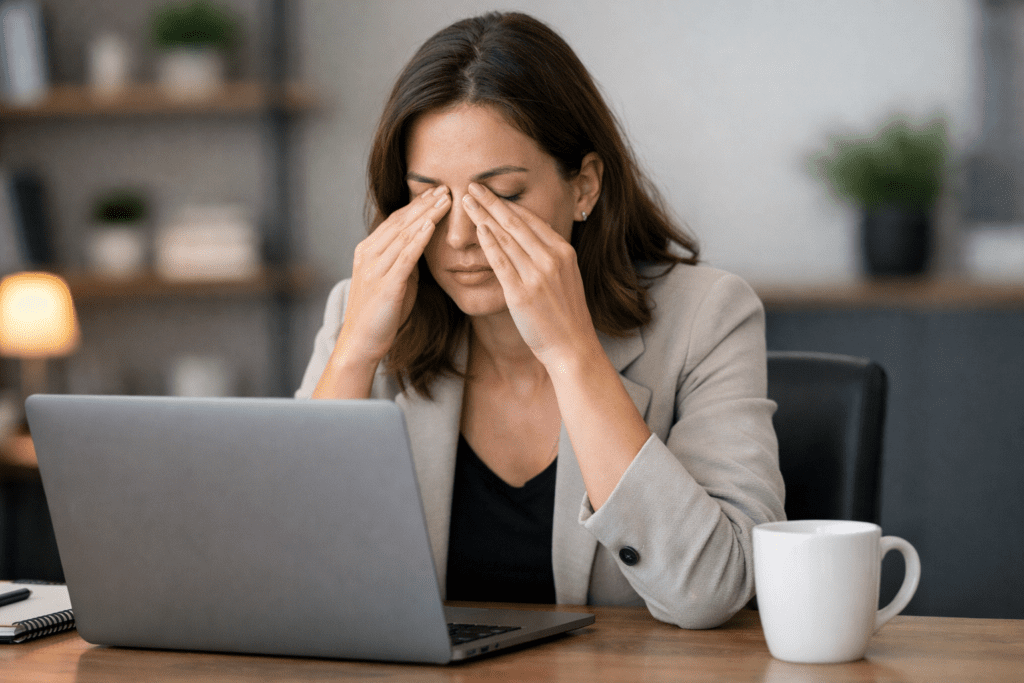
It is 4:30 p.m. at work. Your laptop has been open for hours, your phone keeps pulling your attention, and the screen that felt normal this morning now feels harder to look at.
Your eyes feel dry, heavy, and tired. Your focus slips. You blink a few times, lean back, and wonder why screens seem to drain your eyes so much.
Quick Answer: Eye strain from screens usually happens because your eyes stay locked in close focus, your blink rate drops, and glare, small text, contrast, and screen distance make your visual system work harder. The discomfort often builds slowly, which is why your eyes may feel worse later in the day.
The key point is this: screen eye strain is not just “screen brightness.” It is a chain reaction. Your eye muscles keep focusing up close. Your tear film dries faster when you blink less. Your brain keeps processing digital text, icons, contrast, and movement. Over time, those small loads stack together.
This article explains why eye strain from screens happens. For full relief routines, use the supporting guides linked near the end instead of trying to turn this article into a full treatment plan.
This page focuses on the cause behind screen-related eye strain. For step-by-step screen fixes, use the digital eye fatigue guide linked near the end.
Table of Contents
What Eye Strain From Screens Really Means
Eye strain from screens means your visual system is working harder than usual during long periods of digital viewing. It can involve close-focus effort, reduced blinking, screen glare, small text, poor contrast, and fixed posture.
It may feel like dry eyes, heavy eyes, blurry focus, pressure around the eyes, or a dull headache after screen time. The feeling is usually temporary, but it can keep returning when the same screen habits repeat every day.
This is different from saying the screen is “damaging” your eyes. In many everyday cases, the issue is visual overload: your eyes and brain are doing the same demanding task for too long without enough distance changes, blinking, or environmental support.
What causes eye strain from screens?
Eye strain from screens usually comes from a mix of close focus, reduced blinking, screen glare, small text, poor contrast, and long sessions without visual breaks. These triggers make the eyes and brain work harder than they would during more varied visual tasks.
Why Screens Force Your Eyes Into Close Focus
Inside each eye is a small muscle called the ciliary muscle. This muscle controls how your eye focuses on objects at different distances.
When you look at something far away like a building outside the muscle relaxes. When you look at something close like a laptop screen the muscle contracts.
This focusing process is called accommodation.
The problem is that screens force your eyes into continuous near focus mode.
Typical monitor distance ranges between 20 and 30 inches. Smartphones are often held 12 to 16 inches away. Tablets usually fall somewhere in between.
When you stare at these devices for long periods the ciliary muscles remain contracted for hours.
Unlike larger muscles in your body the focusing muscles in your eyes rarely get rest during screen use. They do not switch between contraction and relaxation very often because the viewing distance stays the same.
Over time this sustained contraction leads to muscle fatigue.
You may notice symptoms such as tired eyes difficulty focusing blurred vision or heaviness around the eyes.
This fatigue is similar to holding a light weight in your hand for a long time. The weight itself is not heavy but the constant tension slowly exhausts the muscle.
This close-focus load is one reason eye strain from screens can build even when the screen itself looks clear. The issue is not always poor vision. Sometimes it is simply too much fixed near focus without enough distance changes.

How Reduced Blinking Makes Screen Eye Strain Worse
Another major reason eyes feel tired during screen use involves blinking.
Under normal conditions people blink around fifteen to twenty times per minute.
Blinking spreads a thin protective liquid layer across the surface of the eye called the tear film.
The tear film keeps the eye lubricated clear and protected from irritation.
But when people concentrate on screens their blinking rate drops dramatically.
Studies show that during intense screen focus blinking can fall to only five to seven blinks per minute.
That means the eye surface remains exposed to air for longer periods.
Over time the tear film begins to evaporate.
As the surface dries tiny nerves in the cornea send signals to the brain indicating irritation. This leads to dryness burning sensations scratchy feelings and tired eyes.
Even mild dryness forces the eyes to work harder to maintain clear vision.
The brain interprets this effort as fatigue.
This is why screen eye strain can feel like dryness and fatigue at the same time. The eye surface becomes less comfortable, and the visual system has to work harder to keep the screen clear.

Why do screens make my eyes dry?
Screens can make your eyes dry because people often blink less while reading, working, or scrolling. Fewer full blinks allow the tear film to evaporate faster, which can make the eyes feel dry, gritty, irritated, or tired.
Struggling with eye fatigue during long screen sessions?
If your eyes feel dry, heavy, or strained after hours on a computer, simple adjustments can make a big difference. This practical guide explains easy ways to reduce screen-related eye fatigue during the workday.
Learn Simple Ways to Reduce Screen Eye FatigueWhy Small Text And Scrolling Increase Visual Load
Screens do not only challenge the eyes. They also challenge the brain.
When you read a printed page, the text is usually stable. On screens, the visual field may shift constantly because of scrolling, pop-ups, notifications, moving images, changing tabs, and small text.
Your brain has to keep re-orienting itself. It tracks where the sentence is, adjusts to contrast, interprets icons, follows movement, and keeps attention on a glowing display. This is why eye strain from screens often comes with mental tiredness or slower focus.
Small text makes this worse. If you squint, lean forward, or reread the same line several times, your eyes and brain are probably working harder than necessary.
Can screen eye strain cause headaches?
Yes, screen eye strain can contribute to headaches, especially when glare, poor lighting, small text, and long close-focus sessions force your visual system to work harder. Neck and shoulder tension from posture can also make screen-related headaches feel worse.
The Hidden Reason Screen Glare Makes Your Eyes Work Harder
Glare is one of the fastest ways to make screens feel harder on the eyes. It can come from windows, overhead lights, glossy screens, bright lamps, or a screen that is much brighter than the room.
When glare is present, your eyes may squint without you noticing. Your pupils and focusing system keep adjusting to contrast changes. Your brain also has to work harder to separate text from reflection or uneven brightness.
This does not always feel like sharp pain. It may feel like pressure, tiredness, blurry moments, or a need to look away.
Screen position matters too. A screen that is too close, too high, too low, or off to the side can increase visual effort and neck tension. That is why screen eye strain often feels worse when your workspace is poorly arranged.
Why Eye Strain From Screens Feels Worse Later In The Day
Eye strain from screens often feels worse later in the day because the load has been building for hours.
In the morning, your eyes may handle screens without much trouble. By late afternoon, the same screen can feel harsher because your focusing muscles have been active, your blink rate has been lower, your posture may be tighter, and your brain has processed hours of digital information.
This is also why short breaks work better before symptoms get strong. Waiting until your eyes already feel heavy or blurry makes recovery harder.
The pattern is not always a sign that something is suddenly wrong. It may simply mean the visual system has had too little variation across the day.
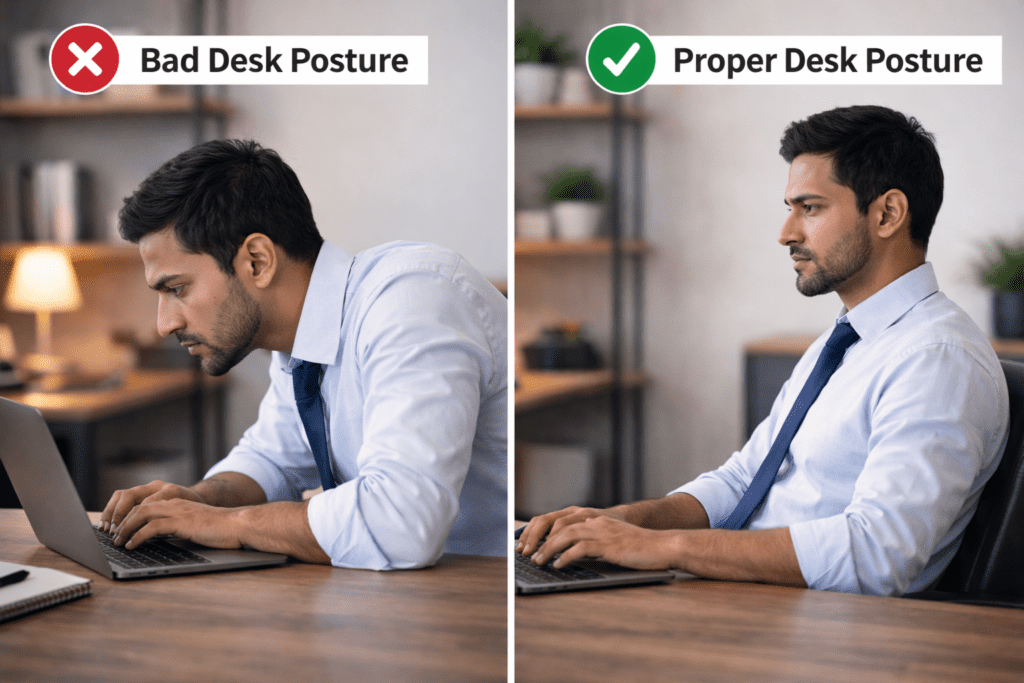
How Posture Adds To Screen Eye Strain
Posture does not cause every case of screen eye strain, but it can make symptoms feel worse.
When you lean toward a screen, your neck, shoulders, jaw, and forehead may tense. That tension can make eye discomfort feel like a broader head-pressure problem.
A screen that is too low can pull your head forward. A screen that is too close can make your eyes work harder. A chair that does not support you can make long screen sessions feel more draining.
That is why screen eye strain is often both visual and physical. The eyes are focusing, but the body is also holding the same position for too long.
What Most People Miss About Eye Strain From Screens
What most people miss is that eye strain from screens is rarely caused by one single trigger.
It is usually a stack: close focus, fewer blinks, glare, small text, poor contrast, fixed posture, and long sessions without enough visual change.
Many people blame blue light first. Evening screen light can affect sleep timing, but daytime screen eye strain usually has more to do with reduced blinking, close focus, glare, screen distance, and visual load.
This matters because the right solution depends on the real cause. If the issue is glare, lowering blue light will not fix the reflection. If the issue is reduced blinking, changing brightness may not solve dryness. If the issue is tiny text, eye drops alone will not reduce focusing effort.
Here is the simplest way to understand what each screen trigger does to your eyes:
| Screen Trigger | What Happens | Why Your Eyes Feel Tired |
|---|---|---|
| Close screen distance | Eye muscles stay in near-focus mode | Focusing effort builds over time |
| Reduced blinking | Tear film evaporates faster | Eyes feel dry, gritty, or irritated |
| Screen glare | Eyes squint and adjust repeatedly | Visual effort increases |
| Small text | Eyes work harder to keep words clear | Focus feels less stable |
| Poor contrast | Brain works harder to read edges | Reading feels slower and tiring |
| Long sessions | Eyes and brain get fewer resets | Fatigue builds late in the day |
| Phone use | Screen is held closer to the face | Eye muscles work harder than on monitors |
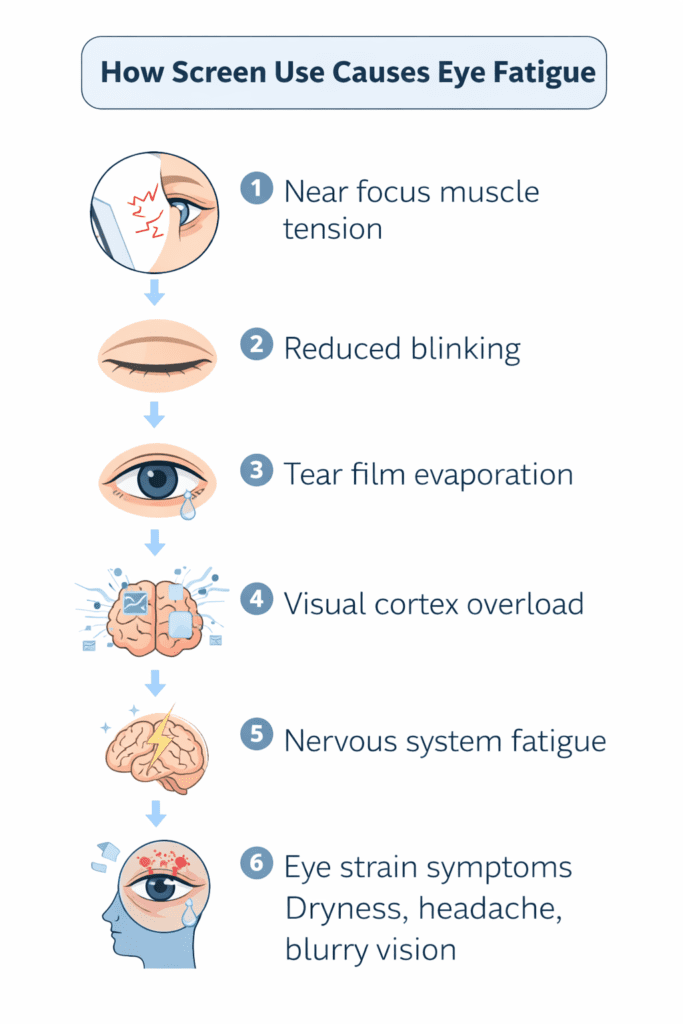
The Real Cause-Effect Chain Behind Screen Eye Strain
The simplest way to understand eye strain from screens is to see the chain:
- Your eyes stay locked on a close screen.
- The focusing muscles remain active.
- Your blink rate drops during concentration.
- The tear film evaporates faster.
- Glare, small text, or poor contrast increases visual effort.
- Your brain keeps processing digital information.
- By late day, the eyes feel tired, dry, heavy, or strained.
This chain is why screen eye strain can feel gradual. It may not hit all at once. It builds as the same visual demands repeat across the day.
How Phone Screens Can Strain Your Eyes Faster Than Monitors
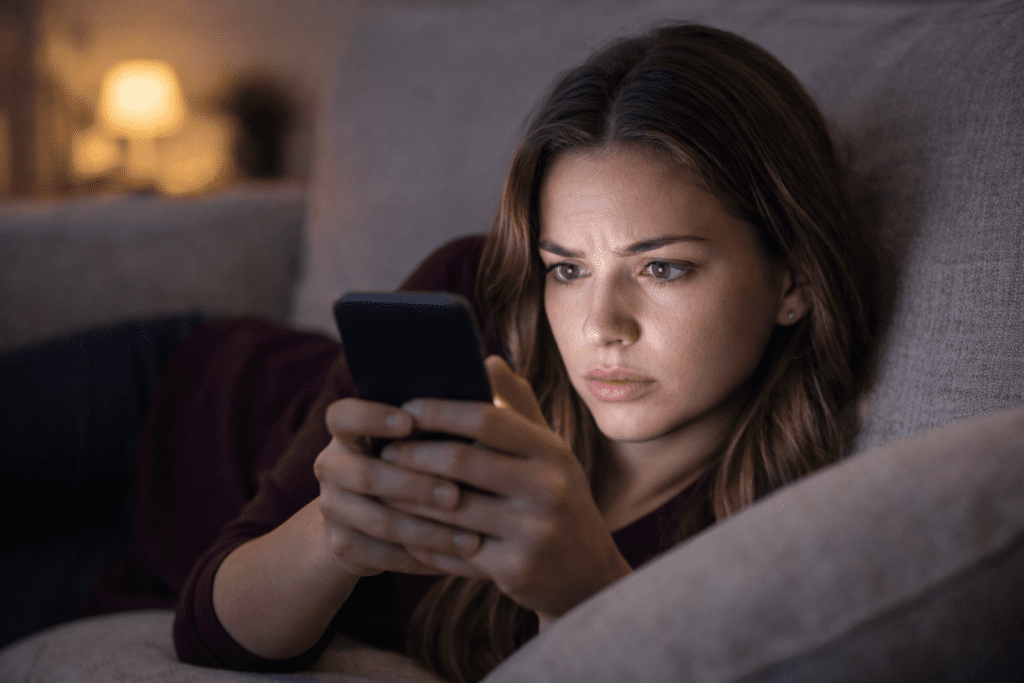
Phone screens can create eye strain faster than monitors because they are usually held closer to the face.
A desktop monitor may sit 24 to 30 inches away. A phone may sit 12 to 16 inches away. That shorter distance requires more focusing effort from the eye muscles.
Phones also combine small text, scrolling, bright screens, quick app switching, and long attention loops. You may think you are taking a break from work, but your eyes are still doing close-focus labor.
This is why eyes can feel worse after “relaxing” with phone scrolling. The task changed, but the visual demand stayed high.
Why do my eyes feel worse after phone use?
Phone screens can feel harder on the eyes because they are usually held closer than computer monitors. That shorter distance increases focusing effort, while small text, scrolling, bright screens, and reduced blinking can make eye strain build faster.
How Different Screens Change Eye Strain From Screens
Not all screens affect the eyes in the same way. Device distance screen size and viewing behavior all influence how much visual strain develops over time.
Smaller screens require stronger focusing effort because the eyes must accommodate at shorter distances. Larger displays allow the eyes to relax slightly but may still create fatigue when used continuously.
The table below shows how common devices affect visual strain.
| Device | Typical Distance | Focusing Load | Eye Strain Risk |
|---|---|---|---|
| Smartphone | 12–16 inches | Very high | High |
| Tablet | 16–20 inches | High | Moderate |
| Laptop | 20–24 inches | Moderate | Moderate |
| Desktop monitor | 24–30 inches | Lower | Lower |
These comparisons show why devices held closer to the eyes such as smartphones tend to create stronger visual fatigue than larger screens positioned farther away.
Why Screen Eye Strain Can Happen Even With Normal Vision
Eye strain from screens can happen even if your vision is normal.
Healthy eyes can still get tired when they focus up close for hours, blink less often, and process glare, small text, scrolling, and contrast. This is functional strain, not necessarily a sign that your eyes are failing.
Think of it like standing all day. Your legs may be healthy, but they can still feel tired from sustained effort. Your visual system works the same way.
Can eye strain from screens happen even with normal vision?
Yes, eye strain from screens can happen even if your vision is normal. Healthy eyes can still feel tired when they stay in close focus for hours, blink less often, and process glare, small text, and screen contrast for long periods.
When Screen Eye Strain Needs More Than Habit Changes
Most screen-related strain improves when the visual load is reduced, but some symptoms deserve professional guidance.
Consider contacting an eye care provider if symptoms are severe, sudden, persistent, or linked with vision changes, strong eye pain, worsening headaches, double vision, or unusual light sensitivity.
You should also get checked if your symptoms keep returning even after you adjust screen distance, lighting, glare, blinking, and breaks. Sometimes an outdated prescription, dry-eye issue, or focusing problem can make screen strain worse.
Editorial note: This article is for general screen comfort and daily habit support. It does not diagnose eye conditions or replace care from an eye care provider. If symptoms are severe, sudden, persistent, or linked with vision changes, professional guidance is the safest next step.
What To Do Next When Screens Keep Straining Your Eyes
If screens keep making your eyes tired, the next step is not to panic or blame one single trigger. Start by identifying which part of the chain is strongest: close focus, reduced blinking, glare, small text, poor contrast, phone distance, or long sessions without breaks.
For a full routine that covers dryness, glare, lighting, screen distance, and daily visual overload, use this complete guide to eye strain relief.
If your symptoms mostly happen during laptop, monitor, tablet, or phone use, this guide to digital eye fatigue explains screen-specific fixes in more detail.
Eye strain from screens is usually a sign that your visual system needs more variation, not that your eyes are failing. The earlier you notice the pattern, the easier it is to reduce the load before your eyes feel heavy, dry, or worn out.
You do not need to fix every trigger today. Start with the one you notice most often.
Build your eye-comfort routine next
Now that you know why screens strain your eyes, choose one trigger to fix today: close focus, reduced blinking, glare, small text, phone distance, or skipped breaks. Small changes work best when you repeat them before your eyes feel worn out.
Start small: look away, blink fully, soften glare, and move your screen back before the strain builds.
